Note Block Interface: Difference between revisions
Jump to navigation
Jump to search
m (version) |
(Remove icon field from ModuleInfoBoxes that don't need it) |
||
| Line 1: | Line 1: | ||
This module adds useful displays above note blocks with their current note.{{ModuleInfobox|name=Note Block Interface | This module adds useful displays above note blocks with their current note.{{ModuleInfobox|name=Note Block Interface|creator=Scommander|type=Stand Alone|versions=1.13+}} | ||
== Features == | == Features == | ||
Punching or Striking a note block, as well as Tuning a note block will cause the current note to appear over the block as text. Sneaking while tuning a note block will cause the pitch to go downwards instead of upwards. [[File:Note Block Interface Example.png|thumb|alt=|none|218x218px]] | Punching or Striking a note block, as well as Tuning a note block will cause the current note to appear over the block as text. Sneaking while tuning a note block will cause the pitch to go downwards instead of upwards. [[File:Note Block Interface Example.png|thumb|alt=|none|218x218px]] | ||
Revision as of 18:34, 12 July 2021
This module adds useful displays above note blocks with their current note.
 | |
| Module Type | Stand Alone |
|---|---|
| Created by | Scommander |
| Compatible MC Versions | 1.13+ |
Features
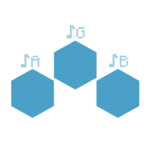
Punching or Striking a note block, as well as Tuning a note block will cause the current note to appear over the block as text. Sneaking while tuning a note block will cause the pitch to go downwards instead of upwards.

Learn More and Download


History
| Version | Date | Change |
|---|---|---|
| 1.13 | 04 Apr 2019 | Released Note Block Interface |